


The Complete Golf Simulator Impact Screen Guide: Materials, Sizes, Setup and Care
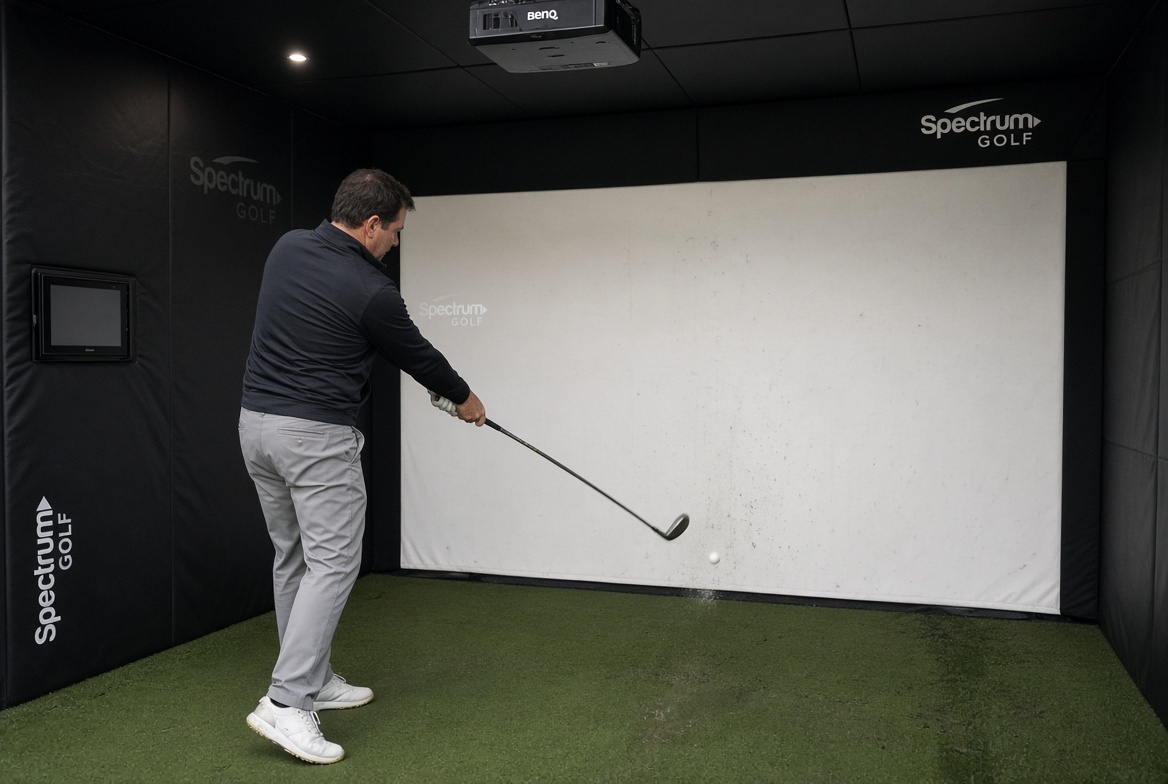
The impact screen is the center of the room
Build a golf simulator and eventually everything points toward one rectangle. The projector points at it. The launch monitor tracks shots into it. The golfer stares at it. The occasional shank tests the engineering around it. A golf impact screen has a completely unfair assignment: serve as a quality projection surface while repeatedly absorbing hard strikes. Choosing one properly is the most effective way to make a DIY simulator feel intentional rather than improvised.
This complete golf simulator screen guide explains material types, sizes, aspect ratios, custom finishes, safe layout, projector considerations, mounting, bounceback, sound, cleaning, and replacement. It is useful for garage golf simulators, basement practice rooms, commercial indoor golf facilities, and golfers upgrading a temporary setup. Because every room has its own geometry, we will focus on how to choose and verify specifications instead of prescribing one mysterious perfect screen.
Start with Spectrum Golf’s homepage and impact screen selection to see the range of screen-only and enclosure possibilities. If you already own a frame, record the exact opening before buying fabric. If you are designing from scratch, the screen, projector, and containment system should be planned together.
What is a golf impact screen?
An impact screen is a fabric specifically designed to receive golf shots and also display an image. It is not synonymous with a standard movie projector screen or an inexpensive white sheet. A standard projection material may produce an attractive picture yet have no appropriate impact performance. An impact screen must tolerate force, deformation, abrasion, and repeated use while remaining suited to projection.
Golf simulator screens are sold as unfinished material, finished panels with grommets, custom panels with reinforced edges, and complete enclosure combinations. Some are intended for fixed frames. Others are finished to work with retractable roller systems. The purchase name is less important than the delivered construction. A “screen” in one seller’s listing might include fabric only, while another includes frame pieces and protective curtains.
When comparing products, write down the exact included components. Then look at Spectrum’s golf screen guide and enclosure category to connect the fabric decision to the rest of the room. That simple step prevents a surprising number of expensive mismatches.
Screen materials explained: single layer, multi-layer and spacer
Single-layer polyester impact screens use one engineered knitted or woven plane. They can be a sensible cost-conscious solution for home practice when the product’s ratings and installation instructions match the task. Performance depends on fabric mass, knit structure, yarn properties, finishing, and tension. Thin or lightweight does not automatically mean unusable, just as thick does not automatically mean safe.
Multilayer designs use additional layers or backing structures to shape durability, projection surface, impact feel, and sound. Three-dimensional poly spacer textiles have two faces connected by internal yarns, providing a cushioning structure. Other multilayer screens may use separate sheets or a dedicated damping layer. These are related but different constructions, so ask the manufacturer how its material is assembled.
Spectrum sells Poly Blend 95 and lists Poly Spacer material among its offerings. Carl’s Place similarly publishes different constructions across its Standard, Preferred, and Premium tiers. Avoid declaring a brand better on the basis of an unverified label; compare samples, finishing options, published testing, and your actual use case.
How to measure a golf simulator screen
Begin with the room, not the product listing. Measure floor-to-ceiling height, usable wall-to-wall width, and depth from hitting position to impact plane. Account for swing clearance at the top and sides, projector position, any garage door tracks, ventilation, lights, and access paths. The safe hitting area and the visible projected area are not necessarily equal to the full rectangle of fabric.
A screen listed as ten feet wide may include black border or reinforced hems. Other vendors may describe the visible white projection area. Grommeted finishes require attachment space, and some frames need the panel smaller than the outer frame to permit tensioning. Always ask for a dimensioned drawing showing fabric outside dimensions, usable image dimensions, sleeve width, and attachment spacing.
A common mistake is ordering fabric to match the frame’s outside width exactly, then discovering there is no tensioning allowance. The opposite mistake, ordering significantly undersized fabric, can create exposed gaps. Work from the frame opening and the manufacturer’s mounting detail instead of a universal inch deduction. Spectrum’s screen and installation resources can help organize that conversation.
Which aspect ratio makes sense?
Aspect ratio describes image width divided by image height. Common layouts include 1:1, 4:3, 16:10, and 16:9. A square simulator screen is attractive in a narrow room, but a widescreen projector image may leave unused bars or require scaling. A 16:9 screen works well for cinematic course views when the room provides sufficient width. A 4:3 design often strikes a compromise between height and usable projection width.
For example, a nine-foot-high white image area at 16:9 would require sixteen feet of width. That is a large opening, particularly once side containment is considered. A nine-foot-high 4:3 image area needs twelve feet of width, which suits more home rooms. Those dimensions refer to the projection shape, not a complete construction plan or recommended minimum room size.
Software output, projector native resolution, and image scaling matter. A projector that supports 16:9 may display a 4:3 image, but with consequences for usable pixels and positioning. Before placing an order, test your preferred aspect ratio with the actual projector specifications and simulator software. Buying a screen based on television habits is a charming but unreliable engineering method.
Image quality: fabric is only half the story
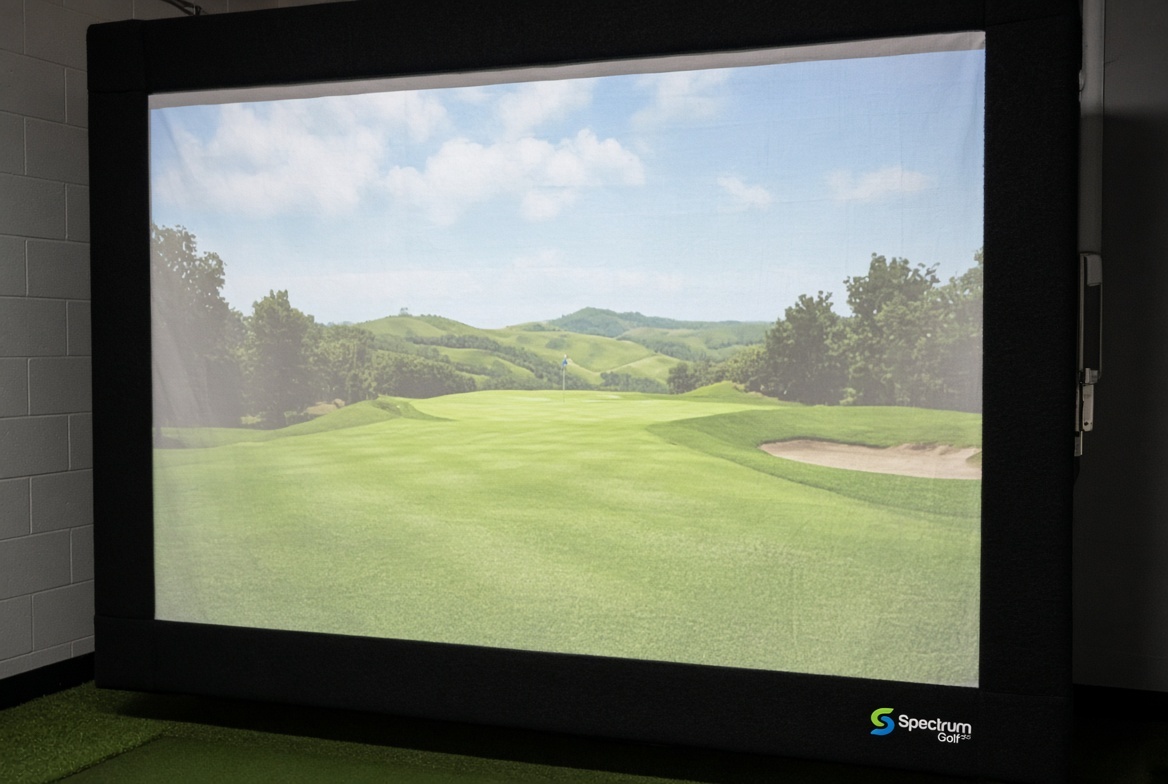
A smoother, more uniform screen face can help projected images look even. Texture, wrinkles, hot spots, and shadows can reduce realism, especially when a simulated green contains subtle gradients. However, projection appearance also depends on the quality and brightness of the projector, lens throw, ambient light, and the alignment between projector and screen. A fine screen cannot invent light that the projector does not deliver.
White materials generally favor brightness in light-controlled spaces. Gray materials may produce darker-looking blacks under some ambient light conditions, but the tradeoff may be a less bright image. Surface gain and viewing position matter too. The right test is to see representative content under lighting similar to your room, not to decide from a product image captured in a professional studio.
Keep image area flat without creating excessive screen tension. Some slight movement is expected during impact, and forcing the face rigid may increase rebound. Proper mounting, even attachment, and suitable rear clearance are more important than achieving a perfectly motionless showroom rectangle.
Bounceback, sound and safety
Bounceback means the ball returns toward the hitting area after striking the screen. Its behavior depends on ball speed, impact angle, fabric elasticity, tension, rear space, and anything positioned behind the screen. A hard wall placed too close to a screen creates one risk; over-tightening the fabric creates another. Manufacturers may specify different clearances depending on the material and frame, so follow the instructions for the actual product.
Indoor impact sound comes from the club and ball, fabric strike, frame vibration, and room acoustics. Multilayer constructions sometimes reduce impact sharpness, but acoustic promises require careful comparisons. Top baffles, padded corners, and strategically protected structural members can improve the overall experience. A screen cannot protect an uncovered garage ceiling or a frame pole that sits outside the fabric field.
Safe installation needs adequate swing clearance and protection around the target area. Side netting, overhead panels, appropriate padding, and correct golfer positioning deserve the same attention as the main screen. Explore Spectrum’s enclosure options while planning containment. Any screen, regardless of price, can be used unsafely if the overall layout is poorly designed.
Grommets, sleeves, borders and custom finishing
The difference between a functional screen and a clean-looking simulator often lies in the finishing. Grommeted black borders create defined attachment points and a tidy projection boundary. Reinforced hems distribute loads. Side flaps can conceal frame elements or interface with protective padding. Hook-and-loop strips accommodate certain enclosure designs. Top or bottom sleeves support pole mounting or compatible roller systems.
Custom screen orders should specify the finished width and height, location of every sleeve, intended pole diameter, attachment spacing, projected white area, and clearances from surrounding structure. Ask for an order drawing that identifies which dimensions include the border. If a customer needs a replacement for an existing enclosure, photographing current attachments and measuring seam-to-seam can save an astonishing amount of email.
Spectrum describes customization on its Poly Blend product page, including borders, grommets, hems, and various aspect ratios. That is useful when the simulator opening is not a convenient off-the-shelf rectangle. But a custom screen only solves the intended problem when the submitted measurements are correct.
Fixed frames, retractable screens and garage setups
A fixed frame can provide consistent alignment, dependable side containment, and simple tensioning. It is a strong choice for dedicated rooms that never need to become anything else. A freestanding enclosure may also be easier to relocate than a built-in wall system, depending on its design. The tradeoff is occupied floor space and a visible structure.
Retractable golf impact screens appeal to garage owners who need to recover space for vehicles, storage, or other activities. They must be paired with hardware designed for the chosen material and total finished weight. A thicker spacer screen may behave differently on a roller from a lighter single-layer fabric. Confirm compatible tube size, maximum rolled diameter, sleeve specifications, mounting surface, and side containment requirements.
Even a retractable front screen does not automatically retract the safe striking environment. The golfer still needs a safe hitting mat position, protective surfaces when the screen is deployed, and a reliable way to prevent balls entering unprotected areas. Begin with Spectrum’s enclosure products and ask for help specifying the complete system.
How to clean and maintain a golf screen
Clean golf balls and club faces before indoor practice. Dirt and sand caught between ball and screen can abrade the strike zone over time. Inspect the fabric regularly for thinning, tears, distorted stitching, stretched grommets, and concentrated wear. If the material begins to behave differently on impact, stop using it until the cause is evaluated. A failing screen gives warnings that are easier to read before the next driver swing.
Use care methods approved by the manufacturer. Aggressive solvents, bleach, stiff brushes, pressure washers, and heat may damage textile surfaces or finishes. A soft cloth and carefully selected cleaning method may be appropriate for some fabrics, but there is no universal cleaning solution for every coated or knitted screen. Always spot-test as permitted and follow written guidance.
Plan replacement before a commercial or high-use screen becomes a disruption. Record the original dimensions, finish, and installation details so a replacement does not require remeasuring the entire bay. Small maintenance habits generally cost less than emergency screen shopping.
Commercial versus residential golf simulator screens
A residential golfer hitting a few sessions weekly may be satisfied with a reasonably priced, correctly installed single-layer screen. A commercial venue needs to consider cumulative impact frequency, many different users, liability management, inspection procedures, supplier consistency, and downtime. A single weak grommet may be inconvenient at home; in a full facility it can remove a bay from service.
Commercial facilities may face textile flame-performance requirements, particularly for large hanging surfaces. Obtain documentation specific to the proposed material and consult the local authority having jurisdiction. The term “fireproof” in an online listing is not the same as an acceptable testing report. Purchasing teams should also record warranty terms, installation instructions, and spare-part availability.
For multiple bays, standardize sizes and attachment details where possible. A small difference in sleeve placement can complicate replacement schedules. Request samples and installation drawings before placing a larger order. Good purchasing is often less about the screen on opening night than the screen you can replace a year later.
Frequent questions about choosing a golf impact screen
What size screen do I need? Determine the safe hitting area, room clearances, projected image aspect ratio, and manufacturer-required frame allowance before selecting finished dimensions. How far should a screen be from the wall? There is no safe single number for every fabric and mounting style. Follow manufacturer clearance guidance and check how far the screen deflects under representative use.
What is the difference between a golf screen and a projector screen? A purpose-built impact screen is intended to receive golf-ball strikes, while standard projection screens often are not. Is a 4K golf impact screen a distinct type of screen? Sellers generally use the phrase to indicate a surface intended to look good with a 4K projector; image results still depend on the complete projection system.
Are overseas screens worth buying? Some may suit budget home installations. Compare documented specs, exact sizes, mounting finishes, returns, and actual use. Spectrum’s Temu comparison page is a starting point for that discussion. Are poly spacer screens always necessary? No. Match construction to frequency, ball speed, acoustics, projection needs, and total budget.
Build the screen into the plan, not the other way around
The best golf simulator screen is the one that fits your space, withstands your intended shots, supports your chosen projector image, and works with a protective enclosure. A cheaper material can be the right decision. A custom, cushioned screen can also be money well spent. The mistake is buying either one without understanding the installation it has to survive.
Browse Spectrum Golf impact screens, review its golf screen guide, and examine enclosure products. Then use Spectrum Golf to discuss your dimensions, mounting method, and desired finish. Get the geometry and fabric choice right first. The simulator will reward you every time the ball hits the screen and stays exactly where it belongs.